

One platform for your entire workforce
From the first clock-in to payroll-ready reports: scheduling, timesheets, time-off, tasks, forms, chat, training and service desk, all working together in a single app.
- 14-day free trial, no credit card
- €6.50 per user per month, excluding VAT
- Every feature included
- iOS, Android and web
From schedule to payroll, in one line
Each step carries on from what the last one recorded.
Plan
Build shifts in the schedule and publish them. Everyone sees theirs on their own phone.
Clock in
People clock in on their shift, with the right job and location attached.
Approve
The hours land on the timesheet. You check them and approve the period.
Run payroll
Send approved hours to your payroll provider, or export them for payroll.
Six areas, one connected platform
Each area is tightly integrated with the rest: clock-ins feed timesheets, schedules drive notifications, and a submitted form carries its own status and owner.

Time & Attendance
Accurate, tamper-resistant time tracking that works wherever your team does.
One-tap clock in & out
Employees clock in from any device with a job and sub-location selector. Breaks, overtime and shift notes included.
Geofencing & GPS
Verify clock-ins happen at the right location, record GPS breadcrumbs, and flag a clock-in made outside the zone.
Works offline
Clock actions are queued locally with no signal and sync automatically the moment connectivity returns.

Scheduling
Plan shifts visually and keep every location in sync.
Drag-and-drop schedules
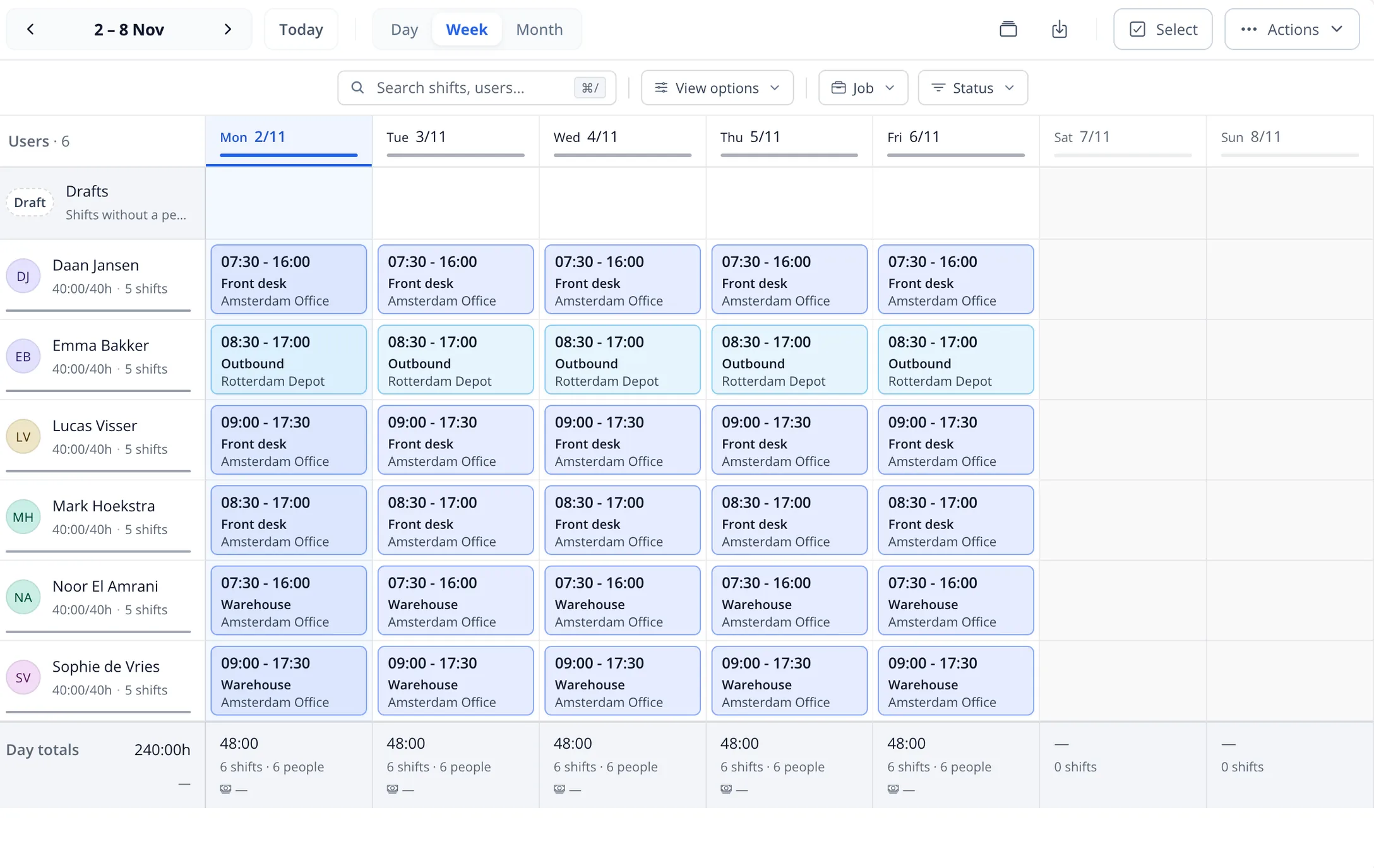
Build day, week and month schedules with color-coded jobs, recurring patterns and team-wide visibility.
Multi-location & timezone
Run teams in the Netherlands, Belgium, Türkiye or worldwide, with shifts always shown in the time zone they run in.
Swaps & availability
Employees set availability and request shift swaps; managers approve from one queue.

People & Access
Manage your whole workforce with the right access for everyone.
Employee directory
Custom profile fields, manager hierarchy, invite links and full audit trails for every change.
Granular permissions
Role-based access with fine-grained module:action permissions enforced all the way down to the database.
Smart groups
Segment people with rule-based groups and target schedules, announcements and forms automatically.

Work & Forms
Assign work, capture data and resolve requests in one place.
Tasks & boards
List and kanban views with priorities, due dates, subtasks, attachments, labels and recurring tasks.
No-code forms
Build forms with conditional logic, signatures and file uploads. Submittable offline, exportable to CSV.
Service desk
Ticketing with priorities, SLAs and agent assignment for HR and IT requests.

Communication
Keep the whole team informed without another app.
Built-in chat
Channels and direct messages with file sharing, reactions, @mentions, search and scheduled messages.
Announcements & events
Company-wide posts with polls, reactions, read tracking, plus events with RSVPs, aimed at everyone or at named groups.
Smart notifications
Mobile push, web push and email reminders with per-user preferences and quiet hours.

Reporting & Learning
Turn activity into payroll-ready reports and trained teams.
Timesheets & approvals
Live attendance, editable time logs, day-locking and templated Excel, PDF or CSV exports for payroll.
Reports & analytics
Attendance, utilization and time-off insights, plus scheduled reports delivered automatically.
Courses & training
Deliver mandatory training with quizzes, progress tracking and completion certificates.
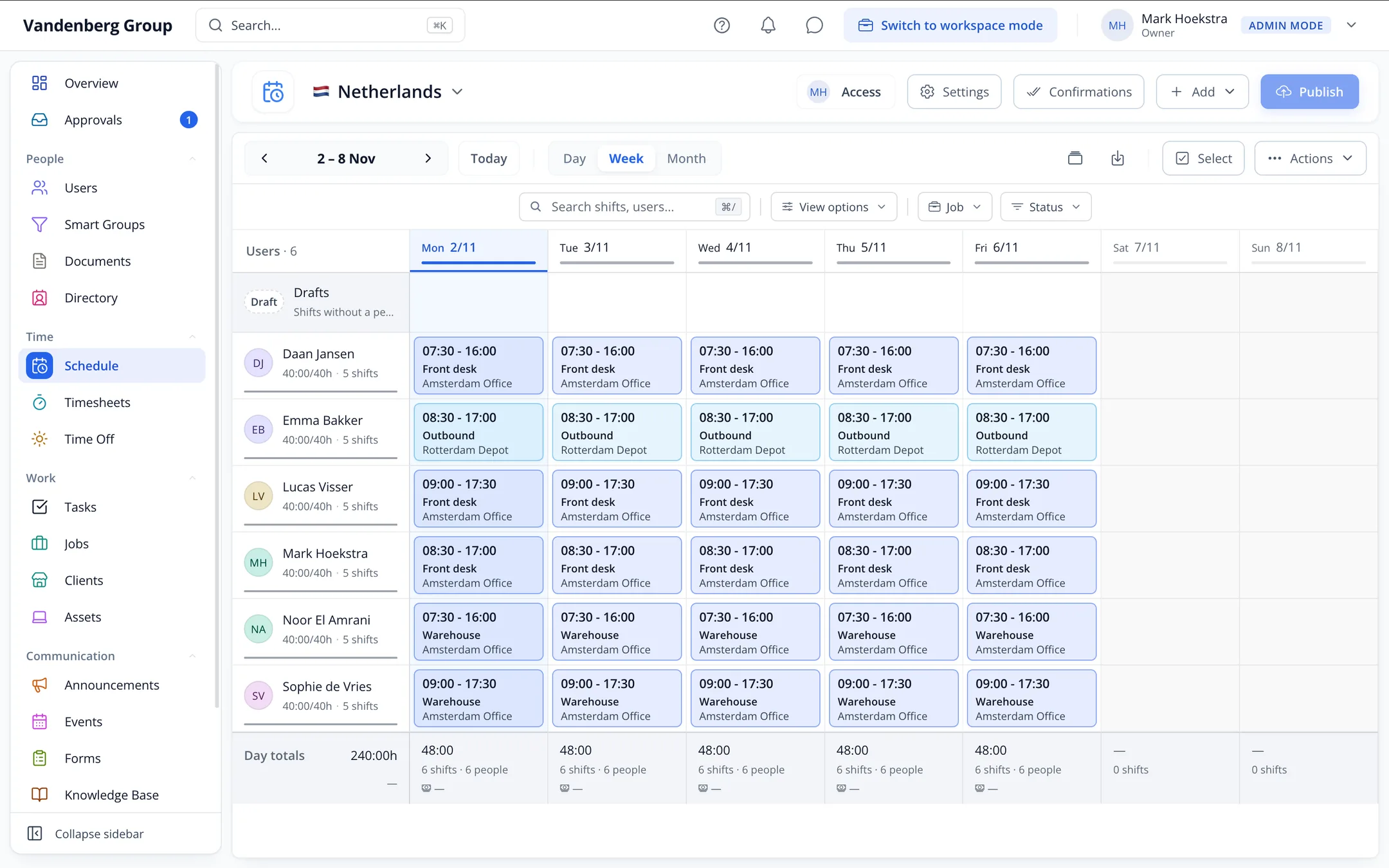
Plan every shift, across every location
A schedule is only worth something if the person on the floor sees the same one you do: change a shift and it is on every phone, in the time zone that shift runs in, so Amsterdam, Brussels and Istanbul teams all read the right time.
Every shift starts with one tap
Employees see their next shift and clock in from the home screen, with the right job, location and breaks attached. Hours roll straight into payroll-ready timesheets, and an approved period writes back to your payroll package over a real API connection, where that package accepts one. Not all of them do, and that page says which.


Run every site from one place
Group schedules and time clocks by location (the Netherlands, Belgium, Türkiye or a global team), each with its own admins, groups and timezone, all under one roof.
There is nothing on this page to unlock: every area above is in the one plan, billed per user per month. What a rolling month and the prepaid terms come to is on the pricing page.
Go deeper
Solutions
Made for teams that don't sit at a desk
On a site, on the road, on a ward or on the floor: Celtucom fits the way the day actually runs.






Hospitality, Hotels, Events & catering, Retail, Construction, Installation & technical services, Field services, Healthcare, Home care, Childcare, Cleaning, Security, Facility services, Logistics & warehousing, Transport & delivery, Manufacturing, Staffing agencies.

See Celtucom with your own team
Book a walkthrough and we'll show you how it fits the way your organization actually works.